

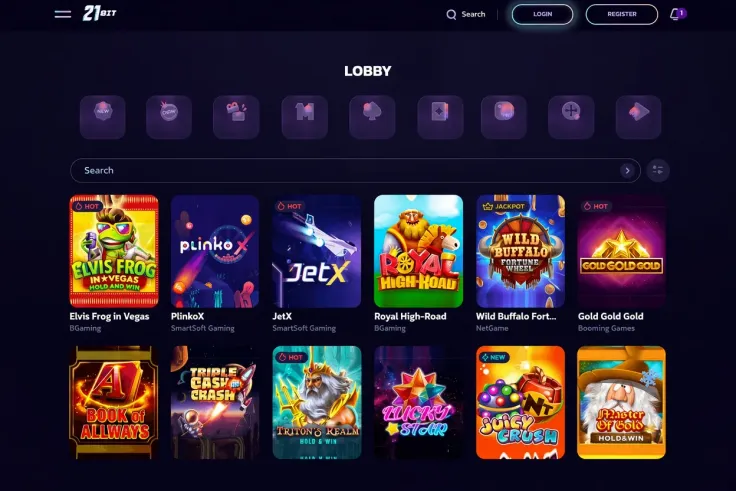
Your 21Bit Casino sign up takes four steps, which are listed above: open the website, register, pass the identity check and deposit. You must be 18 or over. Before you start, gather your personal details and the documents listed in the table above, so that you can finish in one sitting.
This page covers what is behind those steps and what to do if registration does not go smoothly. Allow enough time for the identity check, and have a device with a working camera or scanner nearby so that clear copies of your documents are easy to produce. Support is reachable by live chat and email if something stalls, and you will find the details further down the page.
What happens behind the sign up steps
Registration asks for your personal details, and these need to be accurate. Use an email address that only you can open, and choose a password that you do not use for any other service. Enter your name and date of birth exactly as they appear on your identity document. A small difference, such as a shortened first name or a different spelling, is a common reason for a later check to be sent back.
Identity verification is part of the account at 21Bit Casino. The documents that may be requested are: ID card, passport or driver's licence, Proof of address and Proof of payment method ownership. Each one has a purpose. An ID card, passport or driver's licence shows who you are. Proof of address ties that identity to your address. Proof of payment method ownership shows that the card or wallet you use is yours. The verification guide goes through these documents one by one.
Keep a note of the exact details you enter, including the spelling of your name and your address, so that you can compare them with your documents later. Use your own details only and register one account for yourself. Another person's details, or a second account, are the quickest way to run into problems with the identity check.
You can prepare before you register. Find your documents, check that they are valid and take clear photos or scans. All four corners should be visible, the text should be readable and nothing should be covered. If a document has more than one page or side, have all of it ready.
The final step is a deposit, which is how the welcome offer is claimed. The offer is shown in the table above, and T&Cs apply, so read the full terms from the casino before you pay in. The welcome bonus page looks at the offer separately. For the deposit itself, the deposit guide lists the payment methods and what to have ready.
18+ · T&Cs apply
If registration does not go smoothly

Most sign up problems are small and fixable. Work through these in order.
- Details rejected. Check each field for typing errors, especially your name, date of birth and email address. Make sure your email address is one you can open.
- A document is sent back. The usual causes are a blurred photo, a cut-off corner, a document that is out of date or a name that does not match your account. Send a new, clearer copy. Do not alter a document or look for ways around the check.
- Confusing results. If you are unsure whether your registration went through, do not create a second account. Contact support and ask.
- Forgotten password. Do not guess repeatedly. Contact support by live chat or email and say what you need.
- Emails that do not arrive. Look in the junk folder, check that you typed your address correctly and make sure your inbox is not full.
- Waiting on a check. Do not plan around a particular time. Check your email, including the junk folder, and contact support if you hear nothing.
For help, 21Bit Casino offers live chat and email, and the support hours are 24/7. There is no phone line. When you write in, give the details that identify your account, say what you were doing when the problem began and attach nothing that you were not asked for. A short, clear message is easier for support to act on than a long one.
Setting up your account safely

Choose a strong password that you do not use anywhere else, and enter it only on 21Bit Casino's own website. Do not follow links in messages that claim to be about your account, and never share your password or your documents with anyone who contacts you out of the blue.
Treat the account as a way to pay for entertainment, not as a source of money. If your account offers deposit limits, set one when you register, before you play, and make it an amount you can afford to lose. A limit you set at registration, when you are calm, is easier to keep than one you try to add in the middle of a session. Avoid registering or logging in over public Wi-Fi, where other people on the network can watch what you do; your own mobile data is the safer choice. Keep your phone or computer locked with a passcode and keep your browser up to date. Keep your documents in a safe place on your device, and delete extra copies you no longer need.