

How 21Bit Casino works on a phone
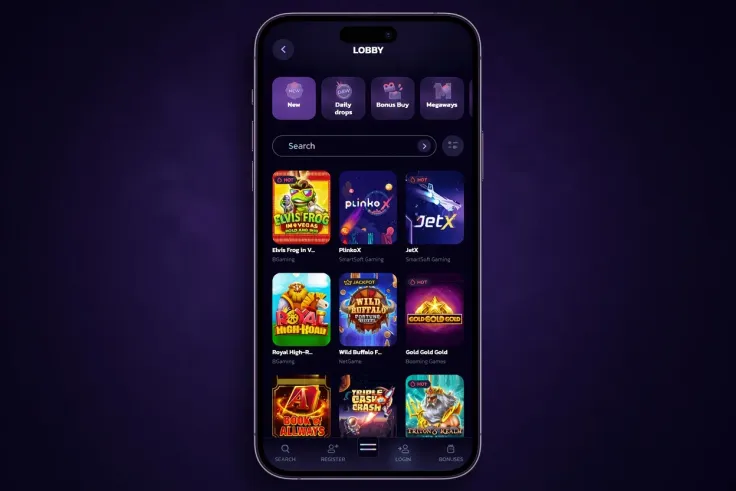
The mobile site is the way to play 21Bit Casino on a phone. There is no download from the App Store and no Android app file, so a search for the 21Bit Casino app ends in the browser version of the casino.
On iPhone you open it in Safari, and on Android in Chrome. Both browsers can add a shortcut to the home screen, which gives one-tap access without a download. The numbered steps sit on the iPhone and Android pages, so this page does not repeat them.
The shortcut is only a link to the website. It does not add a separate program to the phone, it does not appear in the App Store or Google Play, and it does not receive updates from a store. If you remove the shortcut, you can still open the casino from the browser.
21Bit Casino has a live casino section and games from 111 providers, among them NetEnt, Novomatic, Nolimit City, Playtech, Evolution, Hacksaw Gaming, Spribe, PG Soft, Pragmatic Play, Play'n GO, Relax Gaming and Wazdan. The mobile version page is the place to see what to expect when you open the casino in a phone browser.
Because the casino opens in a browser, the browser is the part to look after. Keep it updated through the phone's normal updates and use the passcode or fingerprint lock on the phone itself.
iPhone, Android and mobile site compared
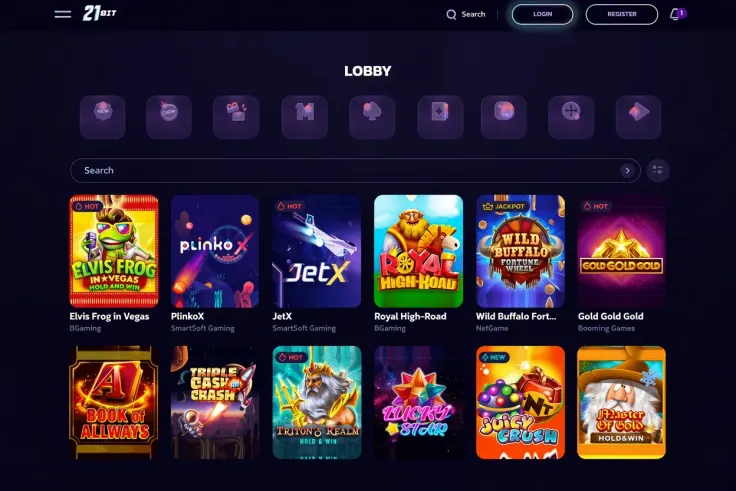
The three pages describe one way of playing, so they differ in wording rather than in what is available. On each of them the answer is the same: no iPhone app, no Android app, and a mobile site you open in the browser.
- Mobile version: the general page. It suits any phone or browser, and it is the one to read if you use something other than Safari or Chrome.
- iPhone page: written for Safari. The shortcut comes from the Share menu, and the page explains what to expect on an iPhone without an app.
- Android page: written for Chrome. The shortcut comes from the browser menu, and the page explains what to expect on an Android phone without an app.
If a website or message offers a 21Bit Casino app for either platform, treat it as unrelated to the casino and do not install it. Installing anything from an unknown source puts the phone and the account details on it at risk.
18+ · T&Cs apply
Which page to start with

Start from your phone, not from the casino. If you use an iPhone, open the iPhone page. If you use an Android phone, open the Android page. If you are not sure which browser you use, or you use a different one, the mobile version page is the safer starting point.
Then decide how you want to open the casino. A home screen shortcut saves typing the address. A bookmark does the same job without adding anything to the home screen. Either works, as long as you always arrive from an address you recognise rather than from a link in a message or an advert.
The practical difference between the pages is small, so pick the one that matches the browser in your hand and follow its steps in order. Doing so once is enough: the shortcut or bookmark then does the rest.
If you have not created an account yet, read the sign up page before you start, so you know what the form asks for.
Practical points before you play on a phone

- Use a trusted connection. Public Wi-Fi is a poor place to log in to a gambling account. Your own mobile data or a home network is the better choice, and it is worth checking your data plan before you open game pages.
- Keep the phone private. Use a passcode or fingerprint lock, do not let the browser save a password on a shared phone, and log out when someone else may pick it up.
- Set limits first. If the account offers deposit limits or time-outs, set them before you play. The safer gambling page explains how these tools work in general.
- Plan the money. The payment methods on offer are Visa, Mastercard, Apple Pay, Skrill, Neteller, Paysafecard, Neosurf, MiFinity, Jeton, Bank transfer, Bitcoin, Ethereum, Litecoin, Tether (USDT), Ripple (XRP), Dogecoin, Tron and Bitcoin Cash. The deposits page explains how paying in works, and a deposit should only be money you can afford to lose.
- Expect identity checks. 21Bit Casino requires identity verification, which is covered on the verification page.
- Check the address. Make sure the page in the address bar is the casino you meant to open before you type a password, especially after following a link.
- Know where help is. Live chat and email support are available, with hours of 24/7.